
Testing
Play mode in the editor runs the whole state machine. Tweens and VRChat's keyboard are the only parts that do not, so almost everything can be checked without putting on a headset.
Test methods
Add parameterless public void _TestX() methods to a view and send them as custom events:
public void _TestJapanese()  { if (lang != null) lang.SetLanguageByCode("ja"); }
public void _TestAudioPage() { SelectMainPage(MAIN_AUDIO); }
public void _TestFullBoard() { BoardCount = BOARD_MAX; }
Send them from the UdonBehaviour's inspector in play mode, or from editor code:
GetBackingUdonBehaviour(view).SendCustomEvent("_TestJapanese");The leading underscore is a convention, not a requirement, but it keeps them together in the inspector's event list and marks them as not-for-players.
Driving a control
A clickable can be driven through its signal, which is what a real click does:
signals[S_CLOSE].SendCustomEvent("_Click");The live preview
AUI/Preview builds a view straight from the files on disk, with no import, no generated code and no prefab, a moment after you save. It works while Unity is unfocused, so you can keep the editor on one monitor and VS Code on the other.
Beyond seeing the layout, it can force states that are otherwise hard to inspect:
- pick which page of each group is shown
- open a select's popup
- open a modal
- switch the preview language without touching the scene
- Follow edits, which shows whichever page or popup contains the element you are editing
That covers most of what you would otherwise enter play mode for. See menu and windows.
Checking every view compiles
AUI/Validate compiles every view in the project and prints every diagnostic, including the warnings a successful build would not stop for. Worth running before an upload.
The demo gallery is a test suite
The gallery under the Demo sample is a hub nesting nine feature views. Its RunTests method (also reachable as the _TestRun custom event) drives each child through its typed API and checks what actually rendered:
bound text, escaping, placeholders, slider value and label, toggle, an if binding, select, runtime-filled options, disabled and enabled buttons, child events bubbling, repeat count and visibility, a layout re-solve from a bound style value, state flags, a class binding, a :root variable round trip, template and nested-view creation, page selection, and a language round trip.
Press Run tests in play mode, or send _TestRun. Every result is logged in-world and to the console:
[AUI gallery] PASS boundText
[AUI gallery] PASS escaping
[AUI gallery] FAIL repeatCount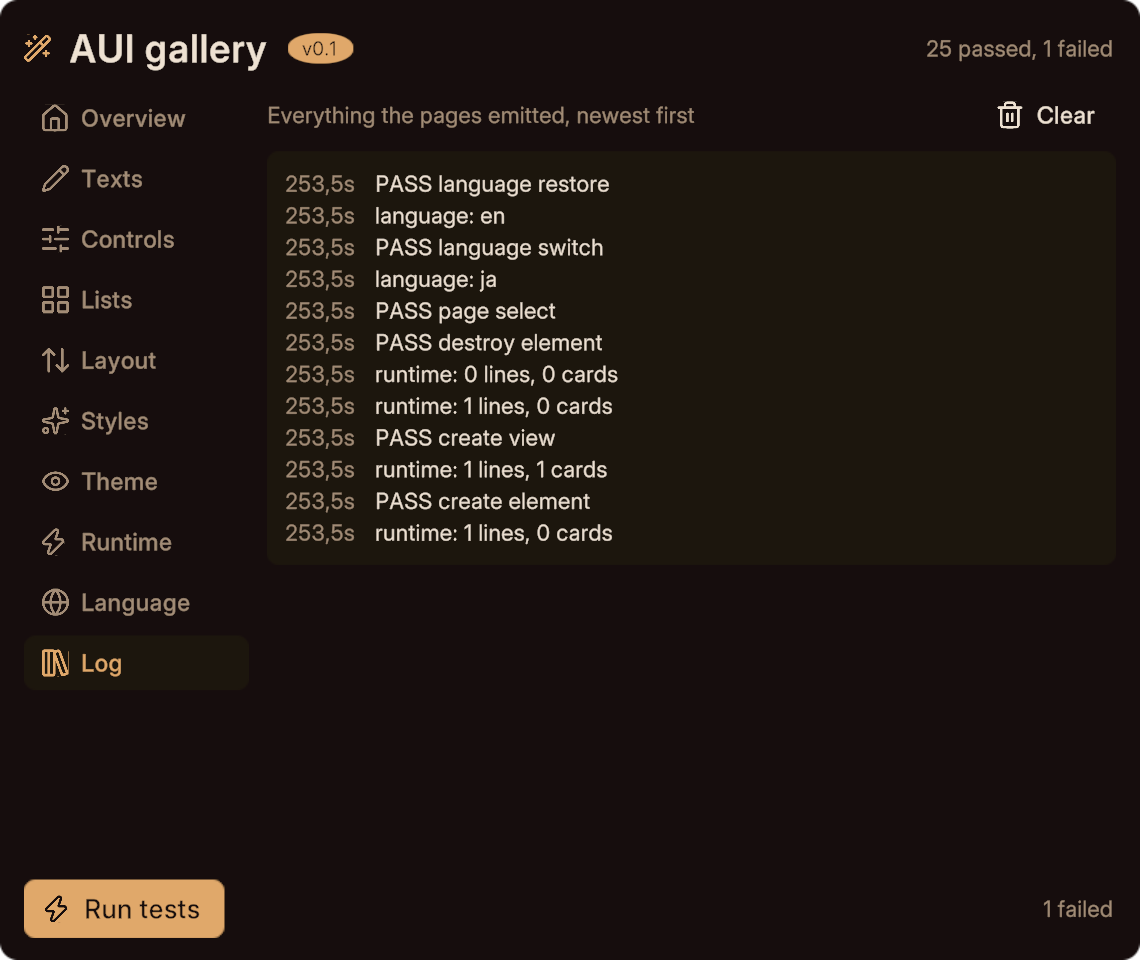
If you are extending AUI itself, extend the gallery when you add a runtime feature. If you are building a world, it is the fastest way to confirm your setup is healthy after an update.
In the real client
Two things behave differently in-world and are worth one check before you ship:
- Tweens. VRCTween is inert under ClientSim, so transitions only animate in the real client.
- The keyboard. An
<input>needs theAUI Input Panelin the scene, and takes two clicks: the first parks the invisible target in front of the player, the second opens the keyboard.
If nothing is clickable in the client but works in the editor, the root canvas has lost its VRCUiShape or collider (a rebuild restores both), or a parent is scaling the view.
Next
- Troubleshooting for symptoms and causes.
- Diagnostics for every code.
- The gallery for what each page demonstrates.