
Theming
The palette is a set of :root variables. Change one and every rule that reads it follows, including rules inside the package theme and inside nested views.
The default palette
Theme/Default.auis defines these:
A warm dark brown, deliberately not black, so panels read as an object in the world rather than a hole in it.
Changing it at author time
Redefine any of them in a :root block of your own sheet. Yours sits above the theme, so every theme rule that reads the variable picks up your value:
:root {
  --accent: #4FC3F7;
  --base:   #101418;
  --panel:  #182028;
}
You can add your own variables the same way:
:root {
  --ok:   #7FC97F;
  --bad:  #E86F6F;
  --pad:  12;
}

.card    { padding: var(--pad); }
.success { color: var(--ok); }
Variables are not only colours. Lengths and numbers work too, which is how the demo's density slider works.
var(--x, fallback) supplies a default. An undefined variable is error AUI203.
Changing it in-world
Setting a variable re-encodes every declaration that reads it and re-resolves the whole view through the cascade. One call per variable:
SetStyleVariable("accent", "#4FC3F7");
SetStyleVariableColor("accent", Color.cyan);
SetStyleVariableFloat("pad", 16f);

string current = GetStyleVariable("accent");
This affects this view and the views nested inside it. Writes are coalesced: any number of calls in one frame cost one re-encode pass, applied through each element's own transition, so a palette swap animates. FlushStyleVariables() applies immediately if you need it now.
Everywhere at once
Go through the language service and every registered view in the scene follows, including views created later:
lang.SetStyleVariable("base", "#101418");
lang.SetStyleVariable("accent", "#4FC3F7");
That is a whole-world re-theme in two lines.
int n = lang.StyleVariableCount();
string name  = lang.StyleVariableName(0);
string value = lang.StyleVariableValue(0);
A preset switcher
public void PresetOcean()
{
    lang.SetStyleVariable("base",    "#0C1418");
    lang.SetStyleVariable("surface", "#12202A");
    lang.SetStyleVariable("panel",   "#193040");
    lang.SetStyleVariable("card",    "#152836");
    lang.SetStyleVariable("chip",    "#24455A");
    lang.SetStyleVariable("accent",  "#5AC8E0");
    lang.SetStyleVariable("text",    "#DCEAF0");
    lang.SetStyleVariable("muted",   "#7FA0AE");
}
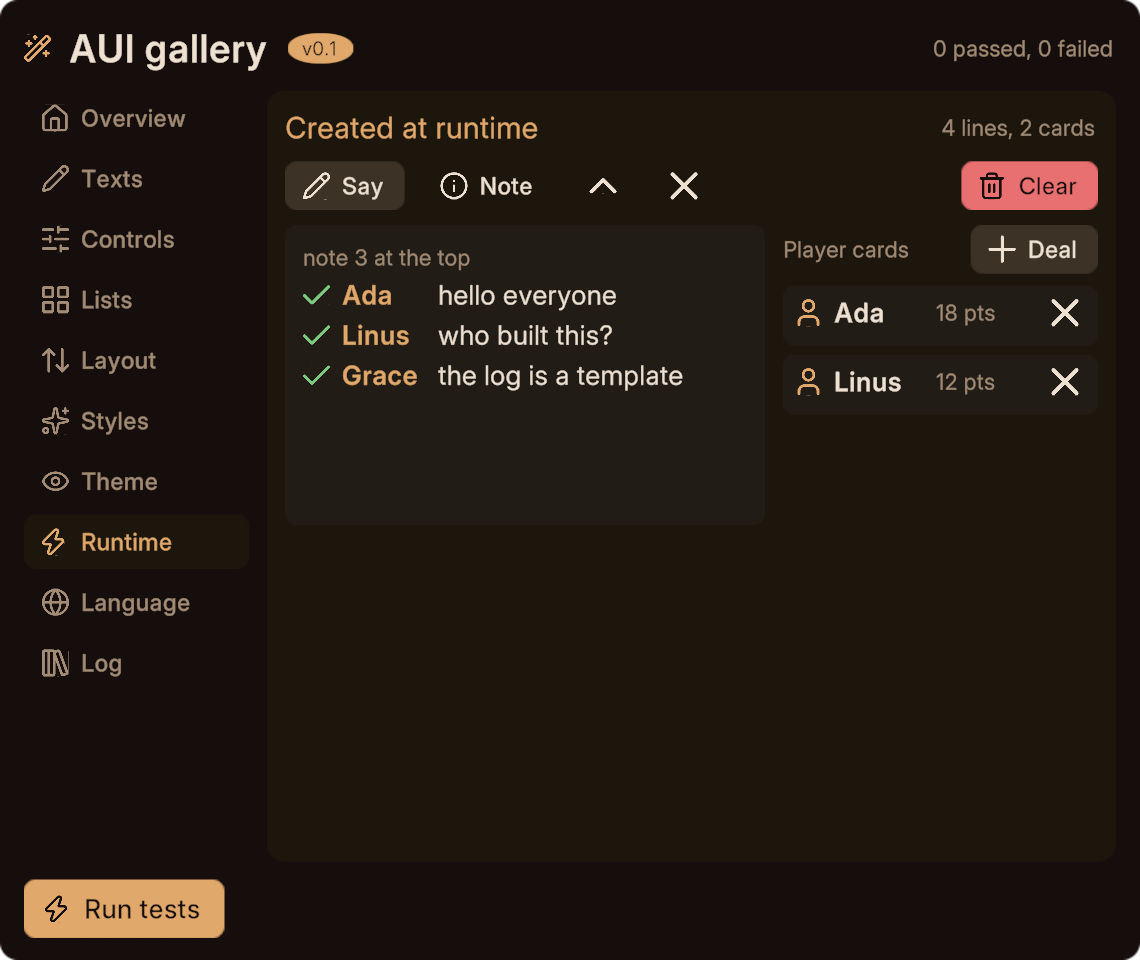
The default palette:
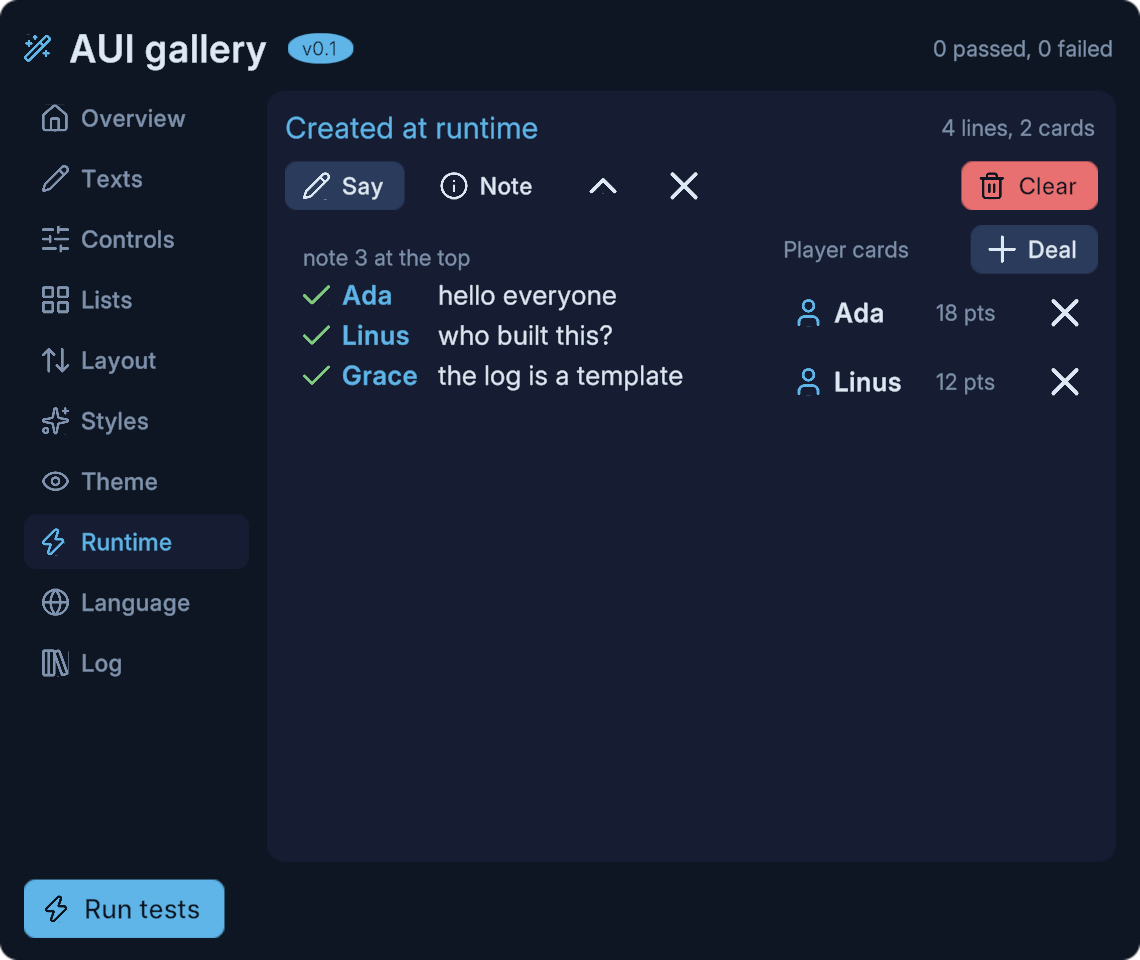
The same panel after those six calls, with no rebuild and no reload:
What a variable change cannot do
The bake-only properties still cannot change: radius, font-weight, page-transition and show. A variable feeding one of those is applied at bake and will not move in-world.
Everything else follows, including state rules (button:hover { background: var(--accent) }) and transitions.
Next
- Styling for variables at author time.
- Changing a view at runtime for per-element overrides.
- Services and settings for the service API.