
Pages and tabs
A <pages> group shows exactly one <page> at a time. A <tabs> strip drives it.
<tabs bind="{page}" onchange="PageChanged">
  <tab page="general" key="settings.general" icon="monitor"/>
  <tab page="audio"   key="settings.audio"   icon="headset"/>
  <tab page="lang"    key="settings.language" icon="globe"/>
</tabs>

<pages id="main" mode="crossfade">
  <page id="general"> ... </page>
  <page id="audio">   ... </page>
  <page id="lang"><AuiLanguagePicker/></page>
</pages>
Each <tab>'s page attribute names a <page> id. A tab pointing at a page that does not exist is AUI106; a pages group nothing drives is AUI114.
What you get in code
For <pages id="main"> with those three pages:
public const int MAIN_COUNT   = 3;
public const int MAIN_GENERAL = 0;
public const int MAIN_AUDIO   = 1;
public const int MAIN_LANG    = 2;

public int  GetMainPage();
public void SelectMainPage(int page);SelectMainPage(MAIN_AUDIO);
if (GetMainPage() == MAIN_LANG) { ... }The bind="{page}" on the tabs also gives you a Page int property; setting it selects the page without calling your handler, exactly like any other two-way binding.
onchange gives you void PageChanged(int page), called when a player changes tabs.
Transition modes
mode on the <pages> element:
| Mode | Behaviour |
|---|---|
crossfade | the outgoing and incoming pages overlap |
sequential | the outgoing page leaves before the incoming one arrives |
The per-page animation is the page-transition style property, set on page:
page { page-transition: fade; }         /* none | fade | slide-left | slide-right
                                           | slide-up | slide-down | scale */
It is a bake-only property, so it cannot change in-world.
default on <pages> names the page shown at start; without it, the first page.
More than one group
Give each <pages> an id and point the tabs at it with for:
<tabs for="main"> ... </tabs>
<pages id="main"> ... </pages>

<tabs for="side"> ... </tabs>
<pages id="side"> ... </pages>
With a single group, for is optional.
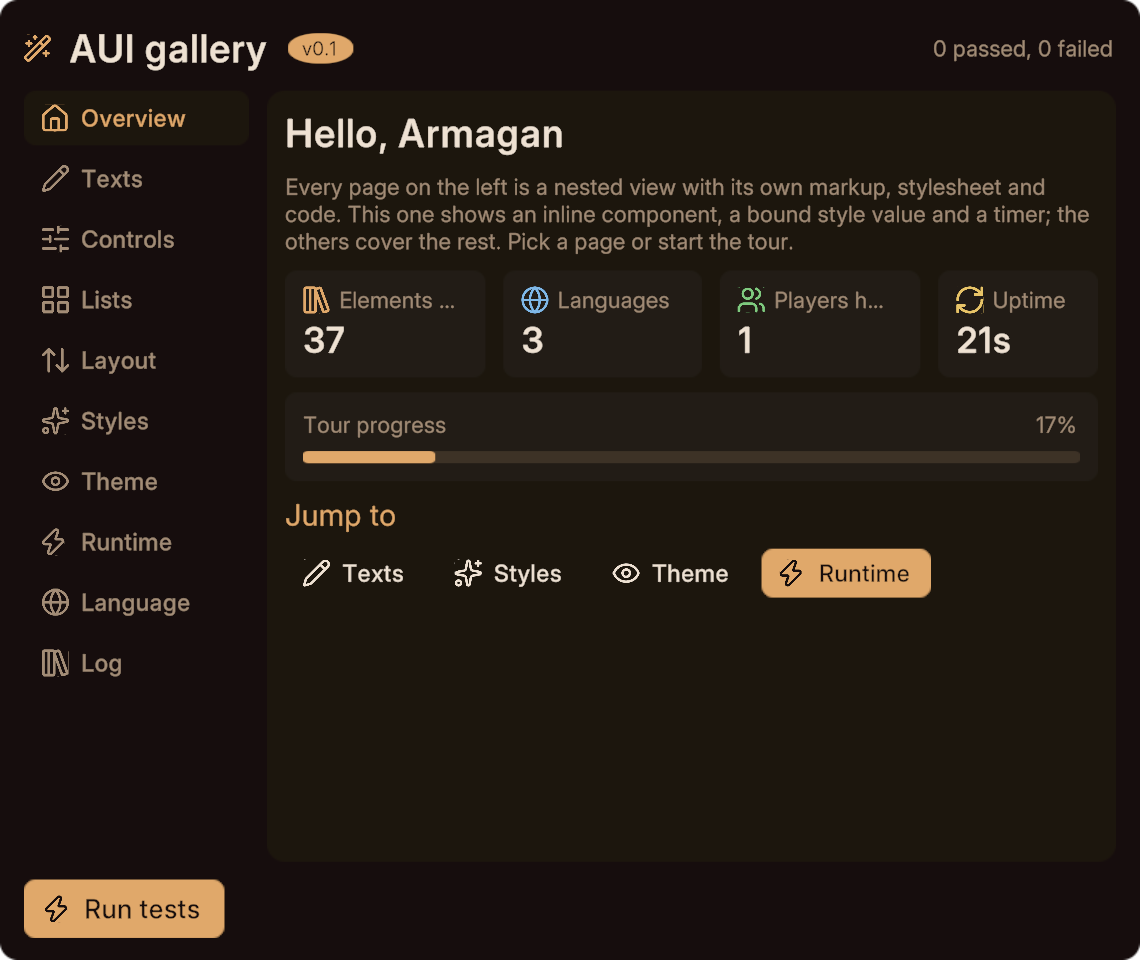
Tabs as a sidebar
Nothing about <tabs> requires a horizontal strip. The theme lays it out as a row; override it:
.side { flex-direction: column; gap: 4; width: 150; align: stretch; }
tab { justify: start; padding: 8 12; }<tabs bind="{page}" class="side" onchange="PageChanged"> ... </tabs>That is exactly what the demo gallery does.
Pages and layout
A <page> fills its group (anchor: fill in the theme), and the group usually grows:
pages { grow: 1; }
page  { anchor: fill; flex-direction: column; gap: 8; }
A page that is not visible is inactive. Text you set on a hidden page is measured on the solve that follows its activation, so nothing is lost; it just costs nothing while hidden.
Driving pages from a child view
A nested view cannot select its host's page directly. Have it raise an event and let the host route it:
<!-- in the child -->
<event name="navigate" type="int"/>// child
public void GoRuntime() { EmitInt("navigate", 7); }
// host, from on-navigate="Navigate"
public void Navigate(int page) { SelectMainPage(page); }Next
- Components for nested views and typed events.
- Elements for every attribute on
tabs,tab,pagesandpage. - The gallery, which is a hub of ten pages.